
OVH DynDNS Client
Your IP changes. Your domains shouldn't.
Point your OVH domains to a dynamic IP and forget about it — one container, no external dependencies, your server, your rules.
Python 3.14 FastAPI SQLite Docker multi-arch
Your IP changes. Your domains shouldn't.
Point your OVH domains to a dynamic IP and forget about it — one container, no external dependencies, your server, your rules.
Three beats from setup to set-and-forget.
Hostname plus OVH DynHost username and password. Stored encrypted at rest with Fernet — the data volume is the only thing you back up.
Polls a public IP service on a configurable interval, persists state to SQLite, and retries failed hosts on the next cycle.
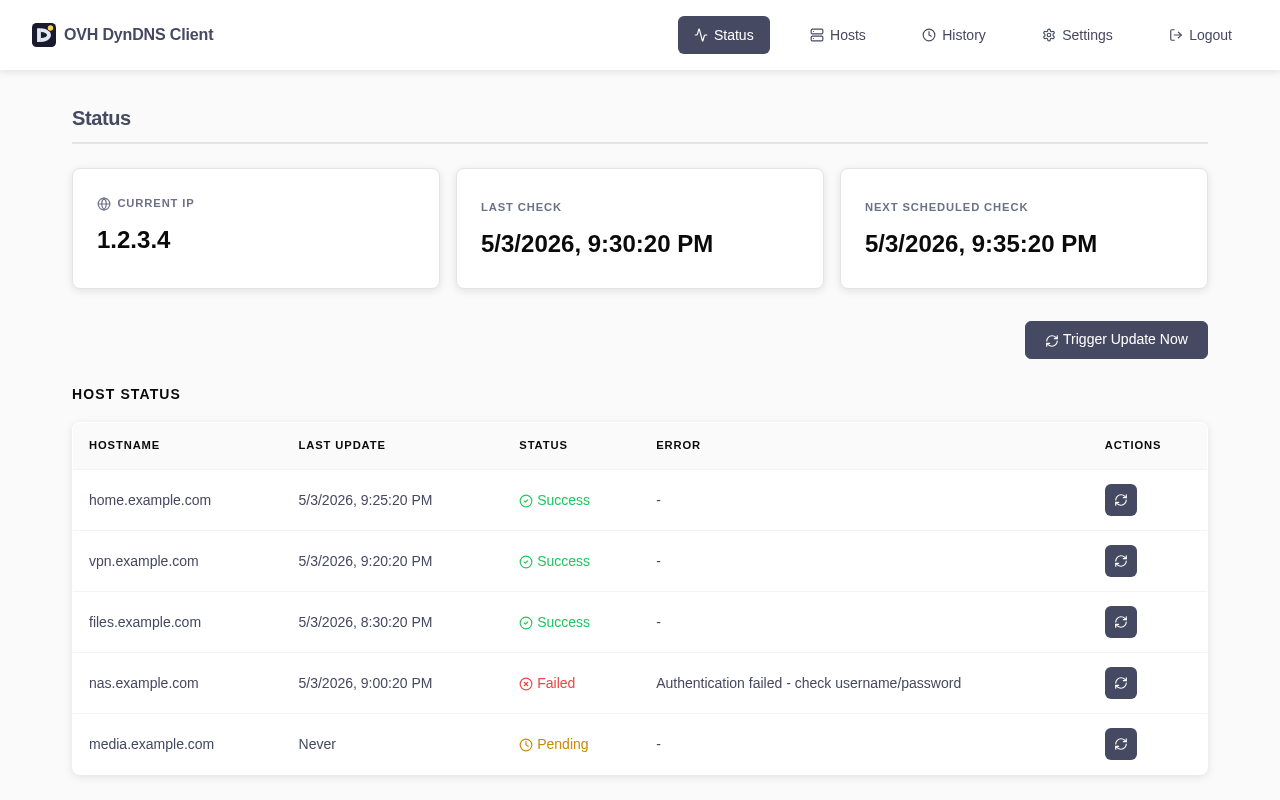
When the IP changes, OVH receives a DynHost update for every host in parallel. Failures surface in the dashboard with the upstream error.
No managed SaaS. No vendor lock-in. Your Docker, your DNS.
Manage hosts, view status and history from a browser. No CLI required.
Full-featured API protected by JWT bearer tokens. Use it from your own scripts.
OVH host passwords are encrypted at rest with Fernet. The data volume is the only thing you back up.
5 logins/min and 10 password-changes/min per IP. Brute-force attempts return 429.
Boot-time auto-migration encrypts legacy plaintext passwords on first start. Zero-touch upgrade from 4.x.
Pre-built images for amd64, arm64 and arm/v7. Runs on a Synology, a Pi, or a cheap VPS.
One docker-compose.yaml, one docker compose up. Full reference in the README.
# 1. Create docker-compose.yaml
cat > docker-compose.yaml <<'YAML'
services:
  ovh-dyndns-client:
    image: cibrandocampo/ovh-dyndns-client:stable
    container_name: ovh-dyndns-client
    init: true
    restart: unless-stopped
    ports:
      - "8000:8000"
    volumes:
      - ./data:/app/data
    healthcheck:
      test: ["CMD", "wget", "--quiet", "--tries=1", "--spider", "http://localhost:8000/health"]
      interval: 30s
      timeout: 10s
      retries: 3
      start_period: 40s
YAML

# 2. Start it
mkdir -p data
docker compose up -d

# 3. Open http://localhost:8000 (default admin/admin, change required on first login)
Full configuration reference: docs/CONFIGURATION.md