Nudge
Install it
Add to Home Screen on iOS or Android. Opens from its own icon, feels like a native app — no store review, no download queue.

Set the interval once. Get nudged at the right moment. Your server, your rules. Offline-first PWA. No SaaS. No public registration.
MIT-licensed · Docker images for amd64 + arm64 · Synology-friendly
Nudge is for the recurring jobs a household or team actually runs — medication, filters, pet dewormer, server backups, anything with an interval. It sends a push the moment something comes due, decrements the consumable it is attached to, and keeps working when the network doesn't.
From the first install to the moment you mark something done — the whole loop in five beats.
Add to Home Screen on iOS or Android. Opens from its own icon, feels like a native app — no store review, no download queue.
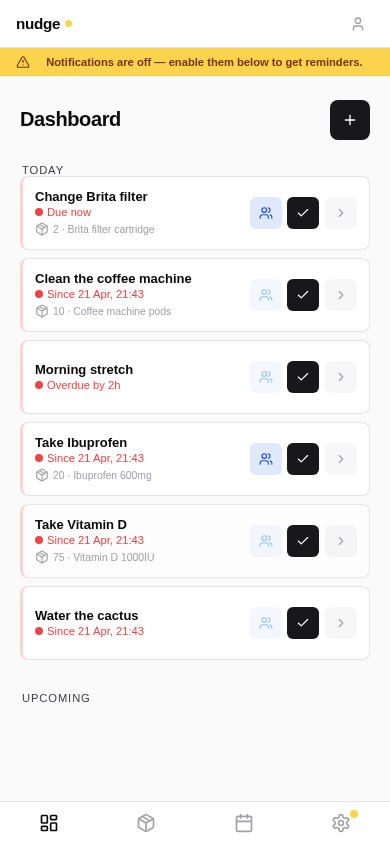
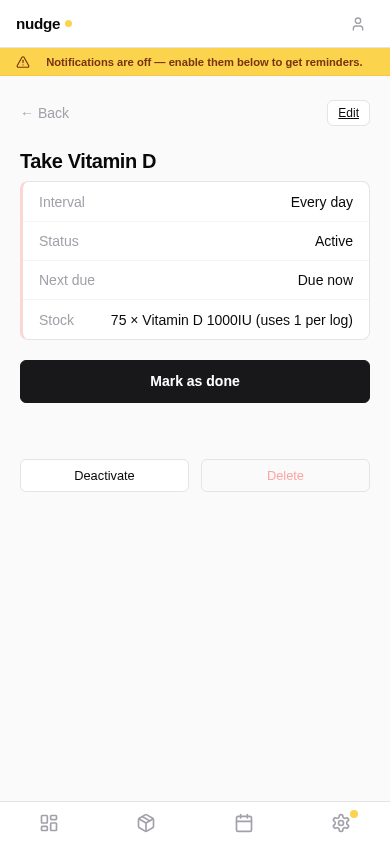
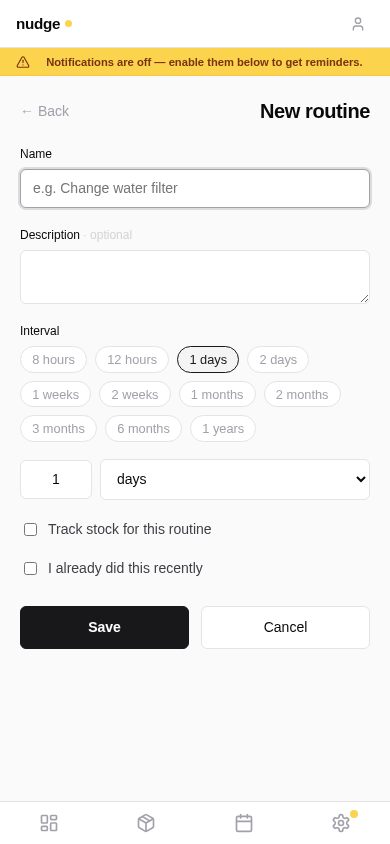
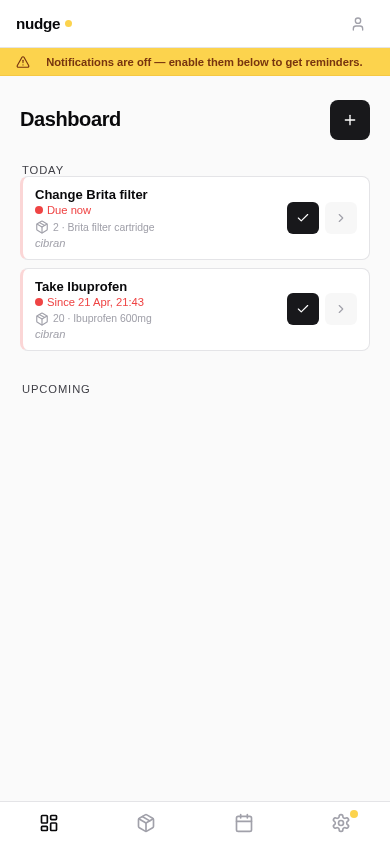
Routines for anything recurring — medication, filters, the plants. Some tracked against stock, some not. Share any of them with the household.
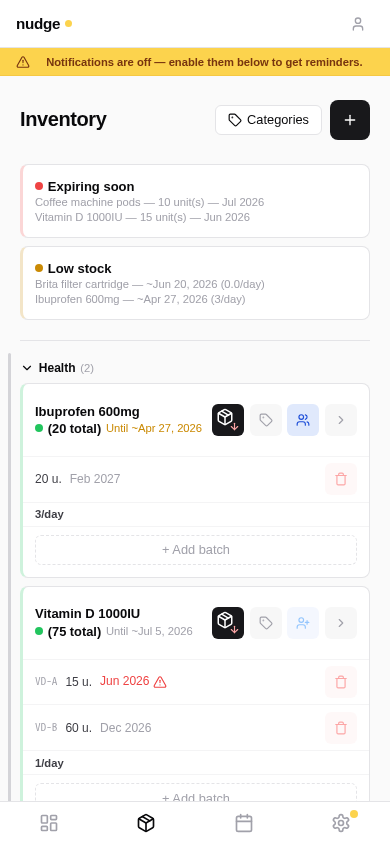
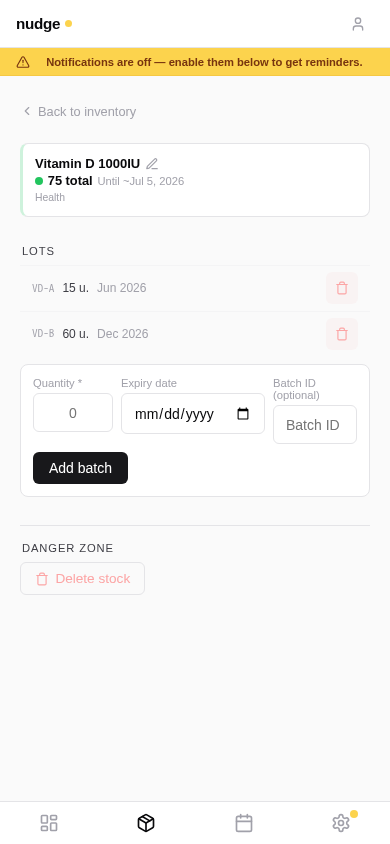
Attach a consumable to a routine. Nudge tracks lots and expiries individually, and warns you 90 days before the first lot goes off.
When a routine comes due, Nudge sends a push — instantly on the due moment, with follow-up reminders every 8 hours until done.
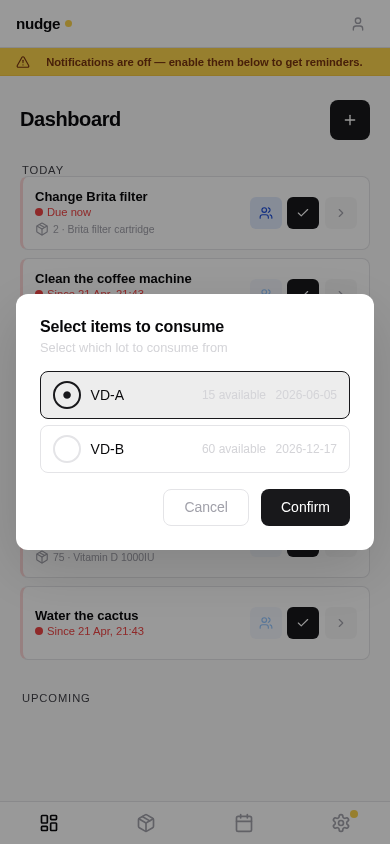
Tap done. If the stock has multiple lots, Nudge picks the First-Expired-First-Out by default — you just confirm.
Three moments every offline-capable app has to get right. Nudge got the details right so you don't notice them.
Mark-done, edits, new routines — every mutation is captured in IndexedDB the moment the network drops, with an optimistic update so the UI reacts immediately.
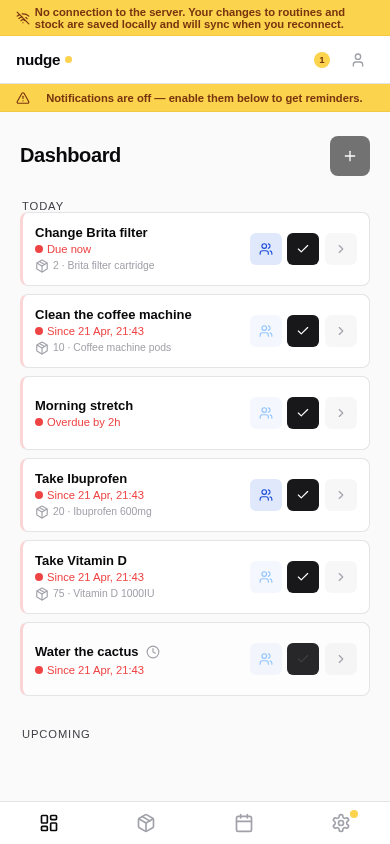
A reachability probe polls the backend (not just navigator.onLine, which lies on captive portals). As soon as it sees a 2xx, the sync worker drains the queue with backoff and invalidates only the caches that were touched.
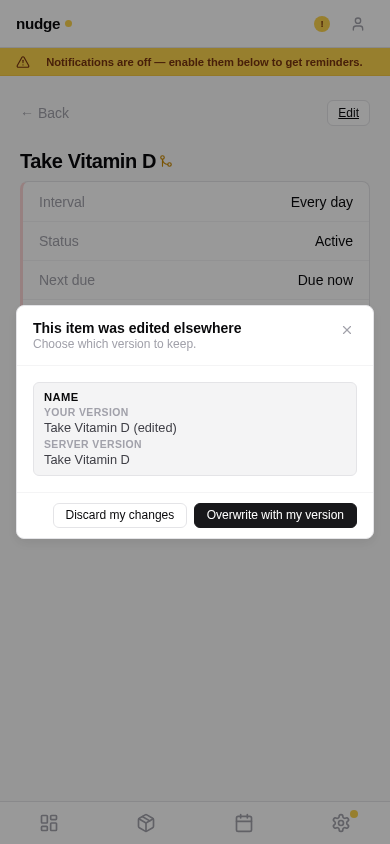
If someone else edited the same thing while you were gone, Nudge opens a modal with a per-field diff. Overwrite with your version or discard — not a guess.
No freemium tier. No tracking. No onboarding wizard. It does one thing, and it does it on your machine.
Queue in IndexedDB, sync on reconnect, optimistic updates, conflict resolution with visual diff, idempotent retries.
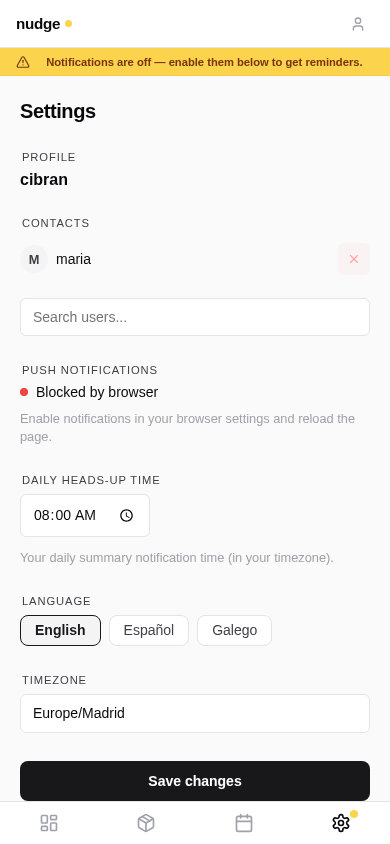
Daily heads-up at your chosen time, a due alert the moment the interval expires, follow-up reminders every 8 hours until done.
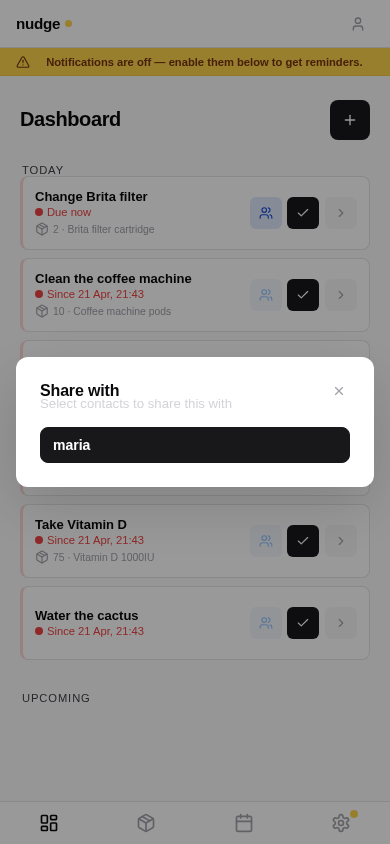
Share routines and stock items with contacts. Shared items show up on the recipient dashboard with an owner label.
Attach a consumable; Nudge decrements stock automatically, lot by lot, First Expired First Out. Expiry warnings 90 days out.
Notification schedule follows your local time and adjusts automatically for daylight saving.
English, Spanish, and Galician. Auto-detected from the browser, overridable per user.
No public registration. No SaaS. No telemetry. Backend and database never leave the Docker network.
Add to home screen on iOS and Android. Opens from the icon, runs like a native app, push notifications included.
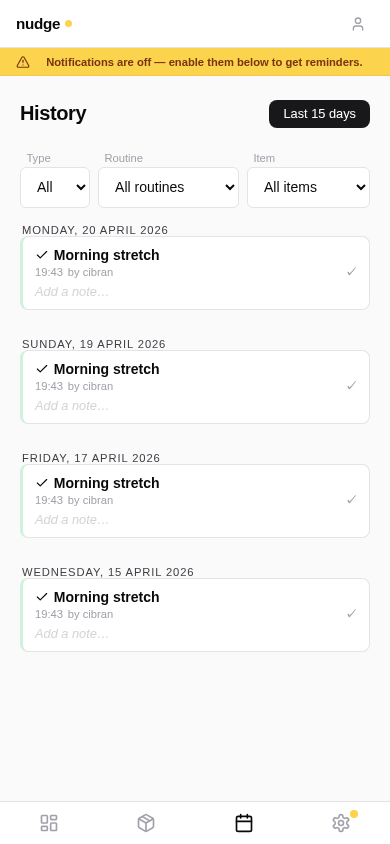
Every screen at the same mobile aspect ratio — because that's where Nudge lives day-to-day.
Nudge runs entirely in your Docker stack. No managed service, no public
registration, no telemetry, no third-party analytics. Backups are a
pg_dump
away. The backend and database never leave the Docker network — only the
frontend container exposes a port, and even that is typically behind your
own reverse proxy for TLS.
MIT licence · Read the terms
Two files, a few secrets, docker compose up. Full walkthrough in the README.
# 1. Download the compose file + env template
curl -O https://raw.githubusercontent.com/cibrandocampo/nudge/main/docker-compose.yml
curl -O https://raw.githubusercontent.com/cibrandocampo/nudge/main/.env.example
cp .env.example .env

# 2. Fill in DJANGO_SECRET_KEY, ADMIN_PASSWORD, POSTGRES_PASSWORD,
#    REDIS_PASSWORD and the VAPID key pair (see the README)

# 3. Start it
mkdir -p data
docker compose up -d

# Admin panel is at /nudge-admin/, the app at your configured port.
Full setup + configuration reference: README — Self-hosting
Yes. Reads come from the Service Worker cache, and mutations (mark done, edits, new routines, sharing, consumption) go into a local queue. When the browser reconnects, the queue drains automatically. Conflicts go through a visual diff modal. No data loss in normal use.
Not today — Nudge is self-hosted on purpose. There is no managed SaaS, no public registration, and no plan to add one. You run it yourself on any host that can run Docker (a NAS, a cheap VPS, a home server) and it is yours.
Nudge is a Progressive Web App. Apple finally supports Web Push in Safari, and the install flow (Add to Home Screen) works well. No App Store review, no native fork, no second UI to maintain.
It lives in PostgreSQL inside your container stack. Backups are straightforward (pg_dump), there is no vendor to depend on, and no analytics or telemetry ships out of the box.
No. MIT licence, free to use, modify, and distribute. You pay for whatever hosting you want to run it on — often a Synology or Raspberry Pi is enough for a household.
Not yet — this site is pure marketing, and a public demo with test data takes ongoing moderation work. The repo ships with Docker Compose so spinning up a local instance takes a few minutes if you just want to kick the tyres.